

AI in Business Central: From Excel to Better Business Decisions
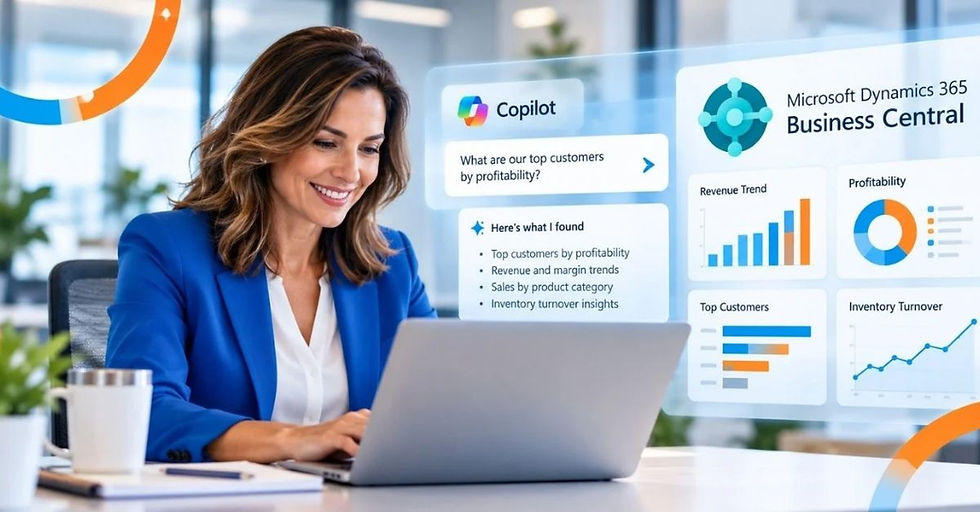
After more than three decades of helping organizations get better information from their business systems, I believe AI in Business Central represents one of the most significant opportunities we've had to change how people access and use business data.
And there's one question I hear from executives more often than almost any other.
"Why is it so difficult to get a straight answer from our own data?"
The information is there. Somewhere.
Finance has one report.
Operations has another.
Sales has a spreadsheet.
And someone who has been with the company for fifteen years knows which numbers are actually correct.
Sound familiar?
Artificial intelligence is beginning to change how we get those answers.
That's why I'm writing this three-part series about how AI is changing the way organizations work with business information.
In this first article, AI in Business Central: From Excel to Better Business Answers, we'll explore how Microsoft Dynamics 365 Business Central and AI are creating new opportunities to turn business data into useful answers.
In the next article, Do You Really Need Another Report? When AI Can Answer the Question? I’ll examine why the traditional approach of creating more reports may not always be the best way to get the information you need.
Finally, in Beyond Excel: How AI Changes Everyday Analysis for Business Users, we'll look at how AI can help employees in finance, purchasing, sales, and operations analyze information without relying on complicated spreadsheets or technical reporting expertise.
Taken together, these articles explore an important shift in how organizations use ERP technology.
We're moving toward a world where business leaders and employees can spend less time finding information and more time deciding what to do with it.
AI in Business Central: The Problem Was Never Excel
Let me start by saying something that might surprise you.
I love Excel.
It's one of the most useful business applications ever created.
But, many organizations began using spreadsheets for something they were never intended to become. Their unofficial business intelligence system.
Consider what happens when a CEO asks a seemingly simple question:
"Which customers are actually making us money?"
Finance exports sales data.
Someone combines it with cost information.
Another person adjusts the numbers to account for freight, discounts, or returns.
Then everyone waits for the spreadsheet to be finished.
Three days later, the CEO has an answer.
Maybe.
Because by then, some of the underlying information may already have changed.
The problem isn't Excel.
The problem is the amount of work required to turn business data into business understanding.
And that's where AI creates an opportunity.
We've Been Asking Employees to Become Human Reporting Engines
Think about how much time your organization spends preparing information instead of using it.
Finance builds monthly management reports.
Operations reconciles inventory information.
Purchasing compares supplier costs.
Sales analyzes customer profitability.
Executives wait for dashboards to be updated.
Every department has questions.
And every question seems to require someone to find, organize, validate, and explain the data.
I've seen highly skilled employees spend hours creating reports that leadership reviews for fifteen minutes.
These are people who understand your business. They should be helping you improve margins, manage cash flow, and identify opportunities.
Instead, they're spending valuable time preparing the information needed to have those conversations.
What if getting the information wasn't the hard part anymore?
That's the promise of AI-enabled ERP.
How AI in Business Central Changes Business Reporting
For years, businesses have relied on spreadsheets and traditional ERP reporting to understand performance.
AI in Business Central introduces another possibility: reducing the time between asking an important business question and getting the information needed to make a decision.
It can help reduce the manual steps between a business question and a useful answer, without replacing the need for sound reporting practices.
From Searching for Reports to Asking Business Questions
Traditionally, ERP reporting has required users to know where information lives.
You navigate to the correct screen, apply filters, run a report, export information, or open a dashboard.
That works when you know exactly what you're looking for.
But business questions don't always arrive neatly packaged as reporting requirements.
Imagine a CFO asking:
"Which customers have increased their purchases but are taking longer to pay?"
Or an operations manager asking:
"Which products are experiencing the most frequent stockouts?"
Or a CEO asking:
"Where are our margins declining even though revenue is increasing?"
Those are not simply requests for reports.
They're business questions that may require information from multiple transactions, processes, and departments.
Microsoft is bringing AI capabilities into Business Central through Copilot, while Power BI and other Microsoft technologies provide additional opportunities for natural-language analysis and deeper business intelligence.
The objective is to make information easier to find, interpret, and act upon.
However, there's an important distinction.
Not every question can be answered by standard Business Central Copilot functionality today. Some scenarios require Power BI, additional configuration, connected data, or custom AI solutions.
And that's why I encourage executives to look beyond the demonstrations.
Don't ask whether the software has AI.
Ask which business decisions AI can help your organization make better.
AI Doesn't Fix Bad Data. It Makes the Problem More Important.
Here's where I think organizations need to be careful.
New technology doesn't eliminate the need for good business fundamentals.
If your inventory records are inaccurate, AI won't magically make them correct.
If customer information is duplicated across multiple applications, an AI-generated answer may reflect those inconsistencies.
If your financial processes depend on manual adjustments that never make it into your ERP, AI may not have the complete picture.
We've all heard the expression "garbage in, garbage out." AI hasn't made that principle obsolete. If anything, it's made it more important.
Because an incorrect number in a spreadsheet is one problem.
An incorrect answer delivered confidently by an AI assistant can become a much bigger problem when someone uses it to make a business decision.
Before organizations rush to implement AI, I encourage them to ask:
Do we trust the information in our ERP?
Are critical business processes connected?
Is information entered consistently?
Are our reporting definitions standardized?
Do employees understand where the numbers come from?
That's not nearly as exciting as an AI demonstration. But it's what makes the demonstration valuable in the real world.
ERP data readiness for AI also means reviewing who owns key definitions, whether inventory and purchasing data are reliable, and whether connected systems use consistent records.
ERP reporting and integration services can help identify those gaps before introducing AI.
How should businesses prepare their ERP data before implementing AI?
Preparing ERP data for AI starts with ensuring that business information is accurate, consistent, and accessible.
Organizations should review data quality, standardize financial and operational definitions, identify disconnected systems, and establish clear data ownership.
For manufacturers, this includes validating inventory, purchasing, project costs, and customer information.
AI can make answers easier to obtain, but those answers are only as reliable as the information behind them.
Can AI in Business Central replace Excel and traditional ERP reporting?
AI in Business Central isn't intended to eliminate Excel or traditional reporting. Instead, it can reduce the manual effort required to find, organize, and analyze business information.
Excel remains valuable for flexible analysis, while Power BI provides dashboards and deeper business intelligence.
AI adds another way to interact with information, helping employees spend less time preparing reports and more time understanding what the data means for the business.
Why Business Central Changes the Conversation
One of the reasons I'm encouraged by Microsoft Dynamics 365 Business Central is its ability to bring important business processes together.
Financial management, purchasing, sales, inventory, and other operational information can operate within a connected ERP environment.
That matters because business questions rarely belong to just one department.
Consider a company experiencing declining profitability.
Sales may be increasing.
But purchasing costs are rising. Inventory is turning more slowly. Certain customers require expensive delivery arrangements. And payment delays are affecting cash flow.
Looking at sales revenue alone won't explain what's happening.
You need to understand how those activities connect.
For project-based manufacturing, AI for manufacturing operations can be especially useful when leaders need to understand how purchasing, inventory, project costs, and delivery commitments affect profitability. Those answers still depend on accurate, connected data.
Business Central provides a foundation for that visibility, while Microsoft tools can extend how organizations analyze and use the information.
For example:
Business Central Copilot can assist with supported tasks such as generating product descriptions, working with certain records, and providing contextual assistance within the application.
Power BI can combine and visualize business information, helping leaders identify trends, compare performance, and investigate operational results.
Microsoft's broader AI and automation capabilities can support additional scenarios, including natural-language experiences and workflows, depending on configuration, licensing, integrations, and data access.
Copilot in Power BI can support natural-language questions about properly prepared semantic models, subject to Microsoft’s licensing, capacity, access, and configuration requirements. Microsoft Dynamics 365 Business Central AI features likewise vary by feature availability and setup.
The real opportunity isn't having three more technologies. It's connecting them to business problems worth solving.
Can Microsoft Dynamics 365 Business Central Use AI to Answer Questions About My Business Data?
Yes. Microsoft Dynamics 365 Business Central includes Copilot capabilities that help users find information, work with business records, and analyze certain data using natural language.
More complex questions, such as identifying declining customer profitability or comparing performance across departments, may require Power BI, additional integrations, or other AI capabilities.
The goal is to make trusted business information easier to access and use when making decisions.
The Most Important Question Isn't "What Can AI Do?"
I've sat through enough software demonstrations to know how easily impressive technology can distract us from the original objective.
Someone demonstrates an AI assistant. It generates a summary in seconds.
Everyone is impressed. And the conversation immediately turns to what else it can do.
I prefer to ask a different question.
"What decision will this help someone make?"
Let's say your purchasing team spends six hours every week identifying products that may need replenishment. The objective isn't to give purchasing an AI assistant.
The objective is to help the team recognize shortages sooner, evaluate replenishment needs, and reduce the risk of delayed customer orders.
Or perhaps your CFO spends three days preparing information for monthly leadership meetings. The objective isn't to generate more reports.
It's to spend those three days analyzing performance, investigating exceptions, and helping the organization make better financial decisions.
That's how I believe organizations should evaluate AI.
Start with the decision. Then determine what information, process improvements, and technology will support it.
Your Employees Still Need to Think
There's another concern I hear from executives.
"If AI can answer questions and analyze information, what happens to the people who do that work today?"
My answer is simple. Their judgment becomes more valuable.
AI can help summarize information, identify patterns, and reduce repetitive tasks. But it doesn't understand your business the way your experienced employees do.
It doesn't automatically know that a major customer is changing suppliers, that a production line will be shut down next month, or that a particular order has unusual circumstances.
Those details matter.
A good purchasing manager doesn't simply reorder inventory because a report suggests it.
A good CFO doesn't make an investment decision based on one financial trend.
Experienced employees bring context, judgment, and accountability.
AI should help them apply those strengths more effectively.
The objective isn't to remove people from important decisions. It's to remove unnecessary work from the process of making those decisions.
Five Questions to Ask Before Bringing AI Into Your ERP
If I were sitting with your leadership team tomorrow, I wouldn't begin by asking which AI tools you want to purchase.
I'd start with five questions.
1. Which business questions take too long to answer?
Identify the questions that require multiple reports, spreadsheets, or departments.
2. Which decisions are delayed because information isn't readily available?
Look for decisions affecting profitability, cash flow, inventory, customer commitments, and growth.
3. How much do you trust your current data?
If employees routinely double-check ERP information against spreadsheets, investigate why.
4. Where are your most experienced employees spending time preparing information?
Those activities may offer some of the best opportunities for improvement.
5. How will we measure whether AI is delivering value?
Measure reduced reporting time, faster decisions, improved accuracy, or better operational performance.
Don't measure success by how many AI features your organization activates.
Measure what improves because people can use information more effectively.
Final Thoughts: The Future Isn't About More Reports
When I began working with ERP systems, getting information out of the software was often a major accomplishment.
Then came better reporting tools.
Then dashboards.
Then business intelligence.
Each improvement made information more accessible.
Now AI is creating another opportunity.
We're moving toward business systems that don't simply store transactions or display information but help people explore what that information means.
That doesn't mean spreadsheets will disappear.
And it certainly doesn't mean every business question should be answered by AI.
But it does mean we should challenge the assumption that getting answers requires hours of manual preparation.
After decades of working with ERP technology, I believe the greatest opportunity isn't to make software more intelligent.
It's to help the people running the business make more intelligent decisions.
That's the outcome worth pursuing.
And if you're evaluating AI capabilities within Microsoft Dynamics 365 Business Central, I'd encourage you to begin with one question:
What would your business accomplish if your best people spent less time finding answers and more time acting on them?
That's where the real value of AI begins.
If your organization is spending too much time preparing reports and not enough time using the information, let's talk.
I can help you evaluate your ERP data, identify reporting challenges, and determine where AI could deliver meaningful business value.
About the Author

Terri Marello, President of Key Partner Solutions, is a thought leader in the Microsoft Dynamics space and the author of the LinkedIn newsletter "Why Ask Why?", where she explores the intersection of technology and business strategy.
Subscribe now for more insights straight to your inbox.
Key Partner Solutions is an experienced Microsoft VAR with the in-house skills to optimize your business and smoothly migrate to cloud-based Microsoft Dynamics 365 Business Central.


