Business Central AI Integration and ERP Workflows

If you’ve ever tried to get a quick answer out of your ERP system and ended up clicking through five screens, exporting something to Excel, and then double-checking it “just to be safe,” you’re not alone.
That’s been the reality for a long time. ERP systems store a lot of valuable information, but actually using it in the moment hasn’t always been easy.
But what’s starting to matter more isn’t just what AI can analyze; it’s what it can actually do inside the system.
In the first article of this series, I talked about a few features in Microsoft Dynamics 365 Business Central that tend to fly under the radar. One of those features, MCP server functionality, plays a bigger role here than most teams realize.
Because when Business Central AI integration is set up the right way, AI doesn’t just sit on top of your system. It starts working within it.
In this article, I’ll walk through how AI is beginning to interact directly with ERP systems like Business Central, what MCP servers actually do, and what AI-assisted workflows can look like in practice.
In the final article in this series, I’ll shift focus to how workflows themselves can be adapted more easily over time, and why that flexibility becomes even more important as ERP systems evolve.
How can AI interact directly with ERP systems like Business Central?
AI interacts directly with ERP systems like Business Central by connecting to their data and processes through APIs, enabling real-time support within everyday workflows.
For a long time, AI in ERP meant looking at reports after the fact: analyzing trends, identifying issues, and maybe suggesting what to do next.
Instead of sitting outside the system, AI is starting to work within it.
Business Central already supports this shift through its API framework, which allows external tools and services to securely interact with ERP data as outlined in Microsoft’s documentation.
This is where AI becomes more practical: shifting from analyzing what already happened to helping teams move faster as work is happening.
For leadership teams, that shift translates into faster access to information, fewer delays in decision-making, and less reliance on manual workarounds.
What is an MCP server and how does it work with ERP systems?
An MCP server acts as a standardized bridge between AI tools and ERP systems, allowing them to interact with data in a consistent and structured way.
In my previous article, I mentioned MCP. It stands for Model Context Protocol, and here’s what that actually means in practice.
Think of an MCP server as the layer that helps AI tools understand how to “talk” to your ERP system. In a Business Central environment, MCP server Business Central functionality creates a more consistent way for those interactions to happen.
Without something like that in place, every connection would need to be custom-built, which quickly becomes difficult to manage.
Instead, MCP provides a more standardized way for AI tools to interact with ERP systems. It allows them to access data and work with systems like Business Central in a secure, repeatable way.
This is what starts to move AI beyond dashboards and into actual workflows.
As AI adoption grows, organizations are beginning to rethink how their systems are structured to support these kinds of interactions.
In fact, McKinsey research highlights that many companies are now redesigning workflows and underlying systems to support AI-driven processes, rather than simply layering AI tools on top of existing environments.
That shift matters. Because without the right structure in place, AI tends to create more complexity instead of reducing it. When it’s set up correctly, it supports faster, more consistent decision-making and reduces friction across teams.
If you’re curious about the technical side of how Model Context Protocol works, the official documentation is worth a look—it goes deeper into how AI tools connect and interact with systems.
What are real examples of AI-assisted workflows in ERP?
AI-assisted workflows in ERP include automating routine tasks, surfacing relevant data in context, and supporting decision-making across functions like finance, operations, and supply chain.
This is usually the point where the conversation either clicks… or it doesn’t.
Because “AI-assisted workflows” can sound a little abstract until you see how it shows up day to day.
In practice, ERP AI workflows look more like this:
A user reviewing orders can quickly pull together related inventory, production, and customer data without jumping between screens
A finance team can generate summaries or explanations of changes without manually piecing together reports
A planner can get recommendations based on current demand, supply constraints, and historical patterns
Teams can automate repetitive steps like data entry, approvals, or reconciliations
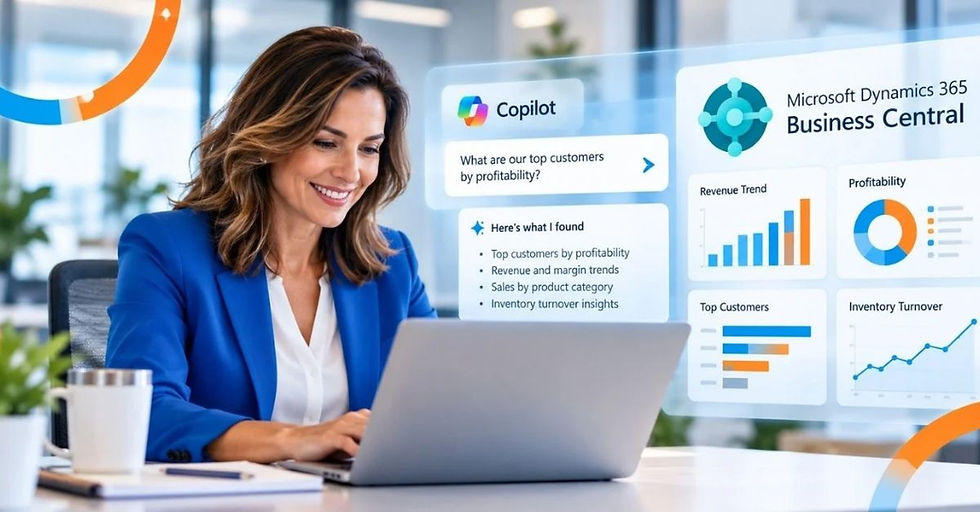
This is where tools like Copilot start to make sense; not as a separate system, but as something that works alongside users inside Business Central.
This is also part of the broader shift toward agentic AI, where AI tools move beyond simple prompts and begin interacting more actively with systems, workflows, and operational decisions.
It doesn’t replace decision-making. It supports it. It suggests, summarizes, and assists in ways that reduce the amount of manual effort required to get to the same answer.
The result isn’t just efficiency—it’s more consistent decision-making across teams, especially in environments where speed and accuracy both matter.
Why Business Central AI integration matters for AI-assisted workflows
ERP systems need to be structured correctly to support AI-assisted workflows, because AI is only as effective as the data, processes, and system architecture behind it.
If data is hard to access, inconsistent, or spread across disconnected systems, AI doesn’t simplify things.
It amplifies the same challenges that already exist.
That’s why concepts like Business Central AI integration matter. It’s not just about adding AI capabilities. It’s about making sure your system is structured to support it.
That includes things like:
Clean, well-organized data
Clear process ownership
Thoughtful use of integrations
A system architecture that supports real-time access
At an executive level, that impacts how quickly the organization can respond, how reliable reporting becomes, and how much friction exists in day-to-day operations.
When those elements are in place, AI enhances what your ERP system is already doing.
When they’re not, it creates more noise than value.
What this means for manufacturing teams
AI-assisted workflows are especially relevant in manufacturing, where speed, coordination, and visibility directly impact performance.
Manufacturing environments don’t have much room for delay.
Decisions often need to be made quickly, based on information coming from multiple parts of the business—production, inventory, procurement, and customer demand.
Instead of waiting for reports or manually pulling together data, teams can get the information they need - in context - as they’re working.
It adds up quickly:
Fewer delays.
Less back-and-forth.
More consistent decision-making.
And in environments where small inefficiencies compound quickly, those kinds of improvements matter.
Making AI practical, not theoretical
AI in ERP systems doesn’t need to be a big, complex initiative to start delivering value.
The shift is toward systems that are easier to work with, more responsive, and better equipped to support the people using them every day.
My next article in this series will shift focus to how workflows themselves can be adapted more easily over time, and why that flexibility becomes even more important as systems evolve.
If you’re starting to explore what that looks like in your own environment, or thinking through how Business Central AI integration fits into your broader strategy, it’s worth having that conversation early.
You can connect with the team at Key Partner Solutions to take a closer look at how your current system is set up, and what it might take to support more connected, AI-assisted workflows.
We’ll also be covering this topic in an upcoming webinar, Business Central Features You May Not Know Existed (And Why They Matter), including how these capabilities can help make systems more scalable, adaptable, and easier to work with.
I hope to see you there, or reach out to learn more!

About Matt Keyes

Matt Keyes is a visionary leader, founder, and CTO of Key Partner Solutions. With over two decades of experience in Microsoft Dynamics, he is passionate about driving digital transformation for businesses through innovative technology solutions.
His deep technical expertise, combined with a strategic approach to solving business challenges, makes him a sought-after thought leader in the industry.
Today, Matt is focused on empowering companies to unlock new levels of growth and efficiency through cutting-edge software development and consulting.
Connect with Matt on LinkedIn.